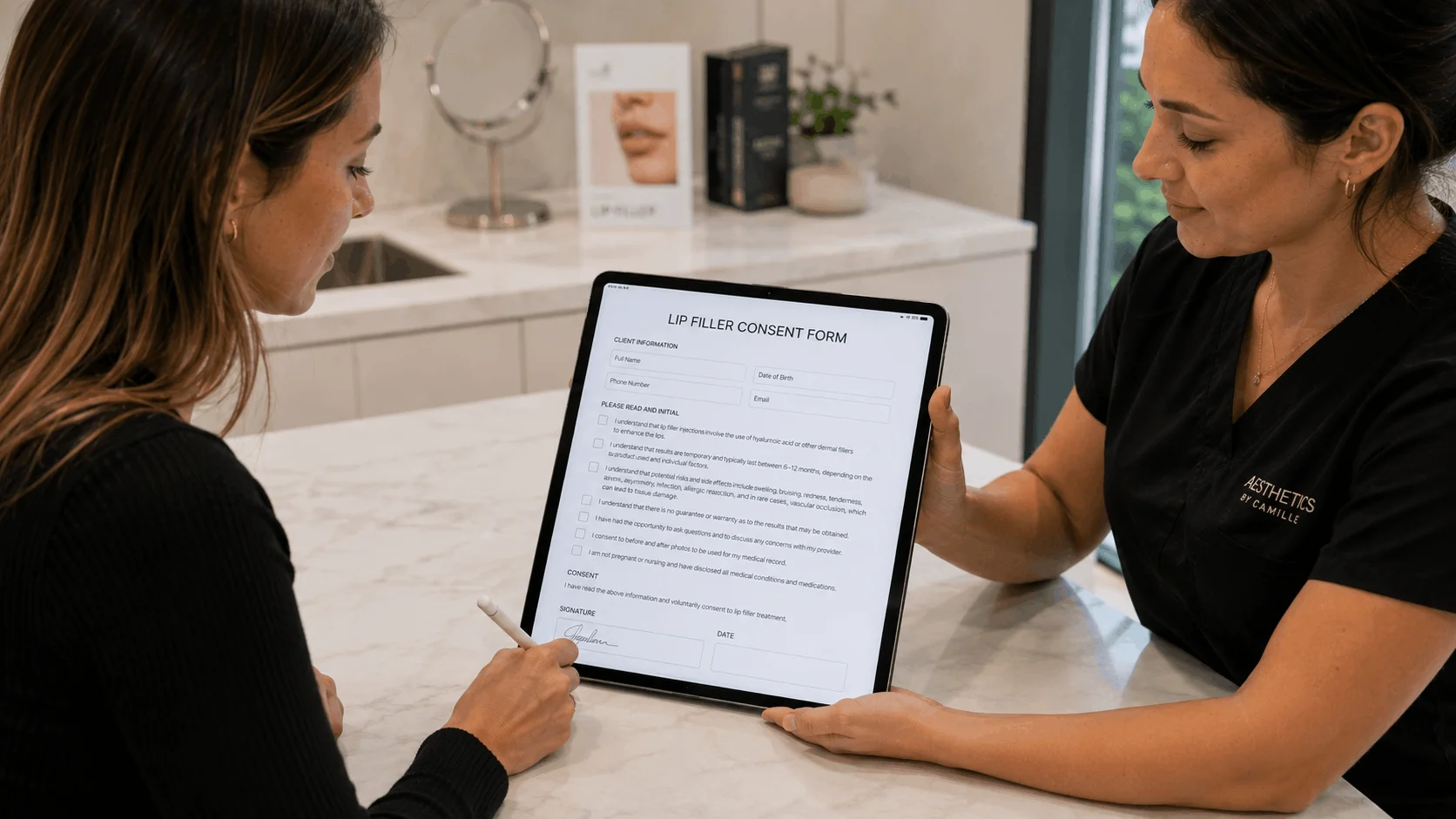
The best HIPAA compliant form builder is one that will sign a business associate agreement (BAA) on the plan you can afford and supports e-signatures. Jotform Gold is the strongest general form builder with a BAA, HIPAAtizer is the cheapest dedicated HIPAA form tool, and IntakeQ is the best fit for therapists and clinics that want intake and consent in one place. Cognito Forms, Formstack, Zoho Forms and Typeform also offer a BAA, but only on higher plans or add-ons.
This guide is for small practices, clinics, acupuncturists, chiropractors, therapists and wellness providers who need HIPAA compliant online forms, such as intake questionnaires, consent forms and medical history forms with e-signatures. The key question for each tool is simple: on which plan will the vendor sign a BAA? Our comparison is based on vendor sites and public documentation. AgreeDock is our product, but it doesn't offer a BAA, so it isn't ranked here. Prices were checked on vendor websites in November 2026 and can change. This is general information, not legal advice.
Quick comparison
| Tool | BAA on | E-signature | Starting price with BAA |
|---|---|---|---|
| Jotform | Gold and Enterprise | Yes | $99/mo billed yearly |
| HIPAAtizer | Paid plans | HIPAAsign on paid plans | $29/mo billed yearly |
| IntakeQ | Included | Client and provider | $54.90/mo month-to-month |
| Cognito Forms | Enterprise only | Pro and up | Check vendor |
| Formstack | HIPAA add-on | Via Formstack Sign or Suite | $83/mo plus add-on |
| Zoho Forms | Premium, by request | Signature field | Check vendor |
| Typeform | Enterprise only | Signature question | Pricing on request |
| WaiverFile | HIPAA plans, BAA unconfirmed | Waiver signatures | $29/mo HIPAA Startup |
How we chose
A form builder isn't HIPAA compliant just because its website says "secure". For each tool we checked:
- BAA availability. Whether the vendor says it will sign a BAA, and on which plan.
- Setup steps. Whether HIPAA features must be switched on, and what changes when they are.
- E-signatures. Whether patients can sign consent forms in the same tool.
- Price of the cheapest plan with a BAA. Not the cheapest plan overall.
- Fit for small practices. Self-serve signup versus a sales call.
1. Jotform
Jotform's HIPAA features are available on the Gold plan and Enterprise. Covered entities that enable HIPAA features can sign Jotform's BAA, and a custom BAA is only available on Enterprise. HIPAA isn't on by default: you enable it in your account, which involves a migration step. E-signatures are part of the HIPAA feature set. Some older forum answers mention HIPAA on the Silver plan, but Jotform's current HIPAA FAQ ties it to Gold.
Best for: Practices that want a full form builder with conditional logic, templates and e-signatures under one BAA.
Pricing: Gold starts at $99/month billed annually ($1,188/year), or $129/month monthly, as listed in November 2026. It includes 100 forms, 10,000 submissions and 1,000 signed documents per month.
Strengths:
- Self-serve BAA on Gold, no sales call needed
- Large template library and flexible form builder
- High submission and signed document limits
Drawbacks:
- No BAA on the free, Bronze or Silver plans
- HIPAA must be enabled and set up, it isn't automatic
- Custom BAA terms only on Enterprise
2. HIPAAtizer
HIPAAtizer is built only for HIPAA forms. Its paid plans include a BAA, and the e-signature feature, HIPAAsign, is listed on paid plans. There's a free developer sandbox, but we'd not use it for real patient data, since it's unclear whether the sandbox is covered.
Best for: Small practices that want the lowest-cost form builder with a BAA.
Pricing: Simple Compliance Gold starts at $29/month billed annually, or $34/month monthly, as listed in November 2026. It includes 5 forms, 5 team members and 500 submissions per month. Gold Plus is $39/month billed annually and Platinum is $99/month billed annually.
Strengths:
- Lowest listed price with a BAA in this guide
- Focused entirely on HIPAA forms
- E-signatures through HIPAAsign on paid plans
Drawbacks:
- Only 5 forms on the entry plan
- Fewer general form-building features than Jotform
- Don't rely on the free sandbox for protected health information
3. IntakeQ
IntakeQ is intake and consent software for healthcare practices rather than a general form builder. Its Forms plan includes a HIPAA BAA and client and provider e-signatures. PracticeQ adds booking and a client portal. Because it's built for practices, things like reusable intake templates and provider signatures come ready to use.
Best for: Therapists, chiropractors, acupuncturists and wellness clinics that want HIPAA intake forms with e-signature without building forms from scratch.
Pricing: IntakeQ Forms is $54.90/month month-to-month with no contract, as listed in November 2026. Extra practitioners are $20/month each. PracticeQ is $84.90/month.
Strengths:
- BAA included, no add-on
- Built for intake and consent workflows
- Month-to-month billing
Drawbacks:
- Per-practitioner seats add cost for group practices
- Less flexible than a general form builder for non-clinical forms
4. Cognito Forms
Cognito Forms offers a self-serve BAA on its Enterprise plan. Per its help docs, the account owner signs the BAA in the app's billing settings, and there's no extra charge beyond the subscription. You can't sign it during a trial. Signing the BAA changes some settings: session timeout drops from 8 hours to 1 hour, and some data can't be copied between forms. E-signatures are available from the Pro plan.
Best for: Organizations that want a capable form builder and are comfortable with an Enterprise subscription.
Pricing: BAA requires the Enterprise plan. The pricing page showed inconsistent figures when we checked, so check the vendor's pricing page.
Strengths:
- BAA signed in-app, no sales process
- No separate HIPAA fee on top of Enterprise
- E-signatures available on the same product
Drawbacks:
- Enterprise only, not available on trials
- Shorter session timeouts once the BAA is active
5. Formstack
Formstack sells HIPAA as a paid add-on to its Forms and Suite plans. It offers a standard BAA and will evaluate a custom BAA. The Forms plan doesn't include e-signatures; signatures in a form flow come with Formstack Sign or the Suite plan.
Best for: Larger organizations that want forms, documents and signing from one vendor.
Pricing: Forms starts at $83/month paid annually and Suite at $250/month paid annually, as listed in November 2026. The HIPAA add-on price isn't public, so check with the vendor.
Strengths:
- Standard or custom BAA
- Forms, documents and signatures in one suite
Drawbacks:
- HIPAA costs extra on top of an already higher base price
- E-signatures need Suite or Formstack Sign
6. Zoho Forms
Zoho Forms makes HIPAA features available on its Premium plan (and Zoho One). You request the BAA template by email from Zoho's legal team, then a Super Admin enables HIPAA and marks the fields that hold ePHI. A signature field is available on all plans.
Best for: Practices already using Zoho apps.
Pricing: HIPAA requires Premium. Check the vendor's pricing page for the current price.
Strengths:
- Fits into the wider Zoho suite
- Field-level ePHI marking
Drawbacks:
- BAA by email request, not self-serve
- Only the top plan qualifies
7. Typeform
Typeform will provide a BAA to customers on its Enterprise plan. There's no self-serve HIPAA tier, so smaller plans aren't an option for patient data.
Best for: Larger organizations already on Typeform Enterprise.
Pricing: Enterprise pricing on request.
Strengths:
- Conversational, one-question-at-a-time forms
- Signature question available
Drawbacks:
- BAA only on Enterprise, with custom pricing
- Not a practical choice for a solo practitioner
8. WaiverFile HIPAA plans
WaiverFile is waiver software with HIPAA-tier versions of its plans. That's useful if you run a wellness or recreation business that collects health questions inside waivers. We didn't confirm WaiverFile's BAA wording, so ask the vendor for its BAA before collecting protected health information.
Best for: Activity businesses that need waivers with health questions and want a HIPAA-tier plan.
Pricing: Startup HIPAA starts at $29/month or $299/year, as listed in November 2026.
Strengths:
- Waiver-focused, with kiosk and booking options
- HIPAA pricing published per plan
Drawbacks:
- BAA terms not confirmed in public documentation
- Built for waivers, not general clinical intake
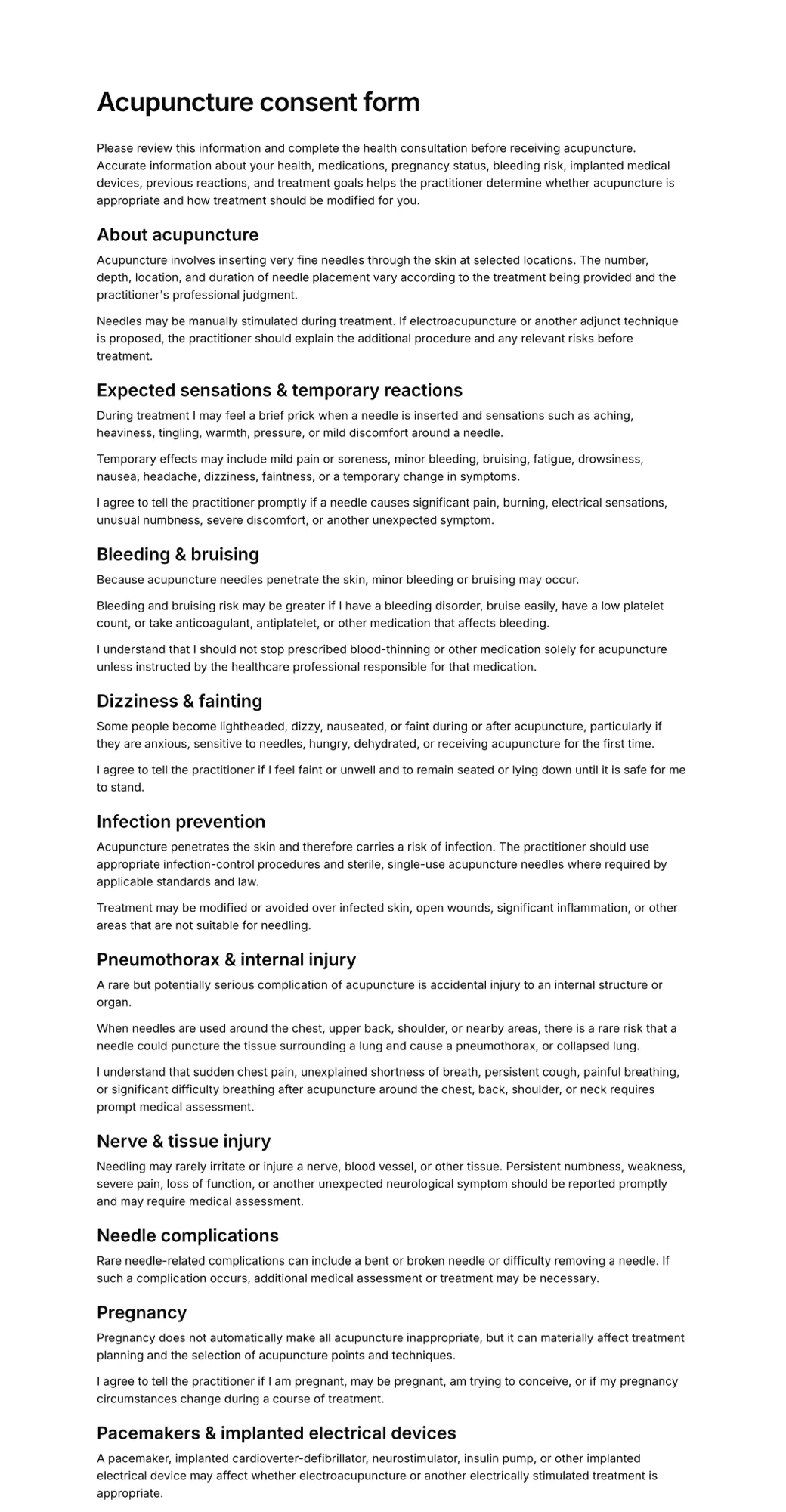
What is a BAA, and what does HIPAA compliance mean?
A business associate agreement is a contract between a covered entity (such as a healthcare provider or health plan) and a vendor that handles protected health information (PHI) on its behalf. Under HIPAA, the vendor is a "business associate". The BAA sets out how the vendor will safeguard PHI, what it may and may not do with it, and what happens if there's a breach.
A few things are worth knowing:
- No BAA, no PHI. If you're a covered entity, you generally shouldn't put PHI into a form tool that won't sign a BAA, however secure it looks.
- "HIPAA compliant" software is a shortcut phrase. No government body certifies software as HIPAA compliant. A vendor can offer the safeguards and sign a BAA, but compliance depends on how you use it too.
- Your part still matters. That includes who in your team has access, strong passwords, enabling the vendor's HIPAA settings, not emailing PHI in notifications, and keeping your own policies.
- The plan matters. Most vendors only sign a BAA on specific plans. Collecting PHI on a lower plan of the same product isn't covered.
- Not everyone is covered by HIPAA. It applies to covered entities and their business associates. Many gyms, salons and some wellness businesses aren't covered entities, though state privacy laws may still apply.
This is general information, not legal advice. If you're unsure whether HIPAA applies to you, ask a healthcare compliance advisor.
Two popular form builders, Paperform and Fillout, aren't on this list because we found no public evidence that they sign a BAA.
If you don't actually need HIPAA
Many businesses that search for HIPAA compliant forms aren't covered entities. A yoga studio collecting an injury question, a fitness class asking about pregnancy, or a salon recording allergies usually isn't a healthcare provider billing insurance. If HIPAA doesn't apply to you, a HIPAA plan may cost several times more than you need. Check which rules apply to your business, and if your forms don't contain protected health information, a simpler online tool is usually enough.
AgreeDock, our product, is one option for that case. It handles waivers, consent forms and intake forms with e-signatures, kiosk mode and QR code signing, with a free online waiver plan and Pro at $15/month for unlimited signatures. It doesn't offer a BAA and isn't for protected health information. See our consent form page for how it works.
How to choose a HIPAA compliant form builder
Start with the BAA. Shortlist only vendors that sign a BAA on a plan you'll actually buy, then compare features.
Budget. HIPAAtizer is the lowest listed price with a BAA. Jotform Gold costs more but adds far more forms and submissions. IntakeQ sits between them with month-to-month billing.
General forms or clinical intake? If you mainly need intake and consent for a practice, IntakeQ is purpose-built. If you also run registrations, surveys and internal forms, a general builder like Jotform or Cognito Forms covers more. Our intake form software guide compares intake tools in more depth.
HIPAA forms with e-signature. Confirm that signatures are included on the HIPAA plan itself. Formstack, for example, needs Suite or Formstack Sign for signatures.
Med spas and aesthetics. If you run a med spa or aesthetic clinic, see our med spa consent form software comparison for tools built around treatments and charting.
Self-serve or sales call. Jotform and Cognito Forms document a BAA you can sign from your account, HIPAAtizer and IntakeQ include one on their paid plans, and Zoho, Formstack and Typeform involve a request or a sales process.
Frequently asked questions
What is the best HIPAA compliant form builder?
For most small practices, Jotform Gold is the strongest general form builder with a BAA, HIPAAtizer is the cheapest dedicated option, and IntakeQ is the best fit for intake and consent at a clinic. The right choice depends on which plan includes the BAA and your budget.
Is Jotform HIPAA compliant?
Jotform offers HIPAA features and a BAA on its Gold and Enterprise plans. You need to enable HIPAA features in your account; they aren't on by default. Lower plans don't include a BAA.
Is Google Forms HIPAA compliant?
Google Forms isn't covered in this guide, and it has no native signature field. If you're considering it for health data, check Google's own BAA documentation and which Workspace services it covers.
What is a BAA for a form builder?
A business associate agreement is a contract in which the form vendor agrees to safeguard protected health information it handles for you, as HIPAA requires. Without one, a covered entity generally shouldn't collect PHI in that tool.
What is the cheapest HIPAA compliant form builder?
Among the tools here, HIPAAtizer has the lowest listed price with a BAA, starting at $29/month billed annually ($34 monthly), as listed in November 2026.
Can I collect HIPAA forms with e-signature?
Yes. Jotform, HIPAAtizer and IntakeQ include e-signatures on their HIPAA plans. With Formstack, signatures need Suite or Formstack Sign, so check what's included before you buy.
Is Typeform HIPAA compliant?
Typeform provides a BAA only to customers on its Enterprise plan, which has custom pricing. Other Typeform plans don't include a BAA.
Do I need a HIPAA compliant form if I'm not a healthcare provider?
Not necessarily. HIPAA applies to covered entities, such as healthcare providers and health plans, and their business associates. Many gyms, salons and studios aren't covered, though other privacy laws may apply. Check which rules apply to your business.