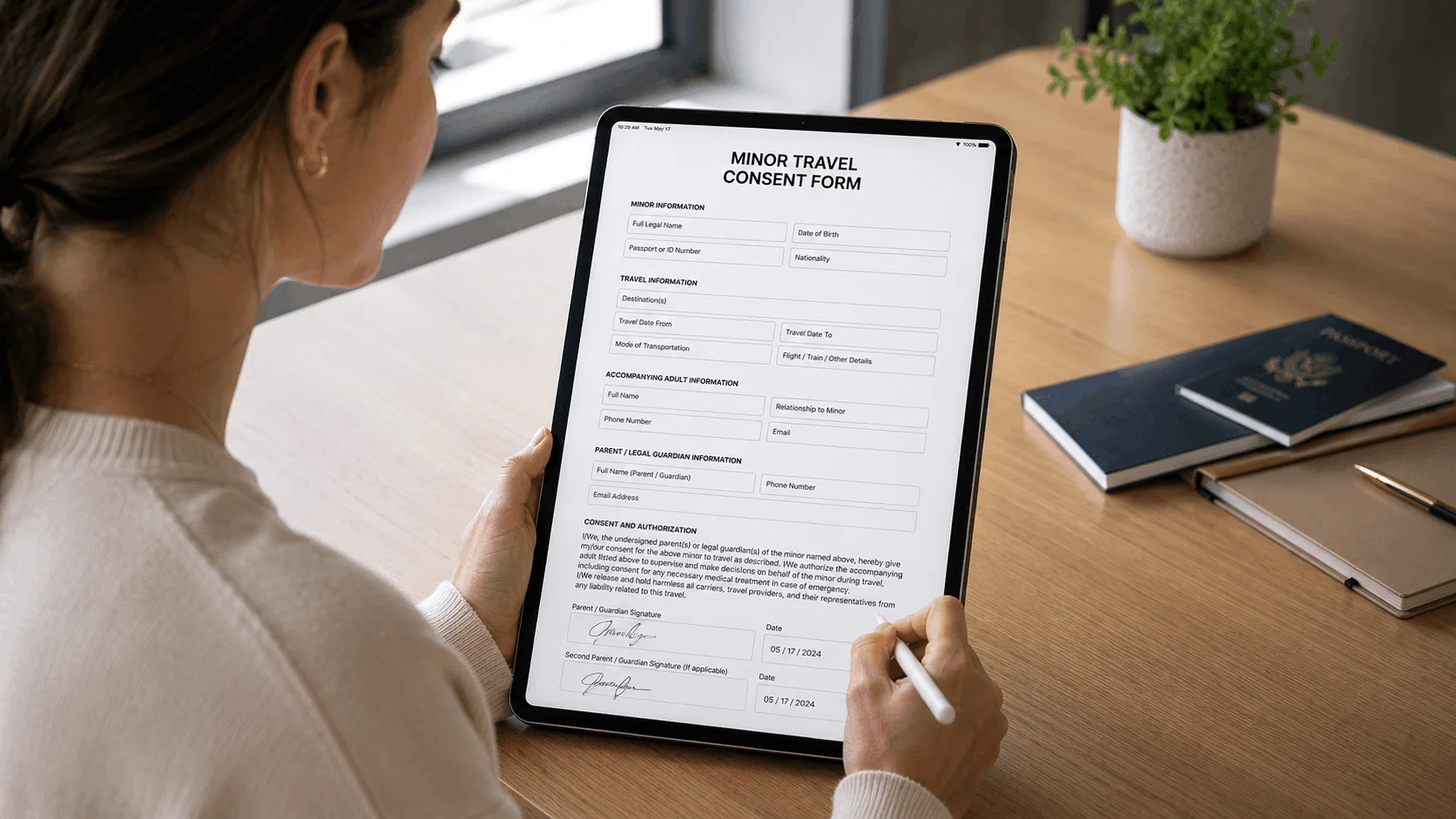
The best martial arts software depends on whether you need to run the whole school or just get waivers signed. For full dojo management with built-in waivers, Kicksite (priced by student count), Gymdesk (guardian signatures and check-in blocking) and PushPress (free plan with unlimited documents) are the strongest picks. If billing already works and you only need parents to sign before a trial class, a standalone waiver app such as AgreeDock (flat price, unlimited signatures on Pro) or Smartwaiver (native kiosk apps with offline mode) is simpler.
This guide is for karate, taekwondo, BJJ, judo, MMA and kickboxing school owners comparing martial arts school software with waivers. Most of your students are children, so we paid close attention to how each tool handles a parent or guardian signing for a minor. AgreeDock is our product, so we've included it, and we've tried to be straight about where other tools fit better. Prices were checked on vendor websites in November 2026 (Smartwaiver in October 2026) and can change. Our comparison is based on vendor sites and public documentation.
Quick comparison
| Tool | Type | Best for | Starting price |
|---|---|---|---|
| AgreeDock | Standalone waivers | Schools needing waivers only | Free; Pro $15/mo |
| Kicksite | Martial arts software | Small and mid-sized schools | From $49/mo |
| Gymdesk | Gym and dojo software | Simple member-count pricing | From $75/mo |
| PushPress | Gym management | Budget schools wanting free software | Free; Pro $159/mo |
| Spark Membership | Martial arts software | Done-for-you setup | $199/mo |
| Zen Planner | Gym and studio software | Established multi-program schools | From $99/mo |
| Smartwaiver | Standalone waivers | Busy schools needing offline kiosks | From $22/mo |
| WaiverForever | Standalone waivers | Low volume, free plan | Free; Essential $19/mo |
| WaiverFile | Standalone waivers | Parent signing with kiosks | From $19/mo |
How we chose
A martial arts school signs a lot of waivers for its size. Every trial class, every new student, every belt test guest and every tournament or seminar visitor is a new signer, and most of them are kids. We looked at:
- Minors and guardians. Can a parent sign for a child, and is the child's name recorded on the waiver?
- Signing before the first class. Can parents sign from a link sent with the trial booking, so the mat isn't held up?
- Front desk kiosk. Is there a tablet mode for walk-ins and parents who forgot?
- Price for a typical dojo. What does it cost for 50, 100 or 200 active students?
- Whether you need the whole platform. Belt ranks, attendance and billing are useful, but only if you're ready to switch systems.
1. AgreeDock
AgreeDock is a standalone karate waiver app and online waiver platform. You start from the martial arts waiver template or the karate liability waiver template, or describe your school to the AI waiver generator and edit the draft. Add a guardian section so the parent signs for the student, then share the waiver by link or QR code, or run it in kiosk mode on any tablet browser so families sign one after another at the front desk.
Each signed waiver is saved in the Signatures list with the answers and the exact wording agreed to. Staff can search by student or parent name and download any waiver as a PDF. Pro is a flat monthly price with unlimited signatures, so a busy trial-class month or a tournament doesn't push you into a higher tier.
Best for: Schools that already handle billing and attendance elsewhere and just need waivers signed.
Pricing: Free plan with 1 active form and 10 signatures per month. Pro is $15/month, or $10/month billed yearly ($120/year), with unlimited signatures.
Strengths:
- Guardian and minor section so parents sign for children
- Link, QR code and kiosk signing on every plan
- Unlimited signatures on Pro at a flat price
- Martial arts and karate templates plus an AI waiver generator
Drawbacks:
- No billing, belt ranks, attendance or class booking
- No integrations, so it won't sync with your school management software
- No offline signing and no native iOS or Android app (it runs in the browser)
- No ID scanning, photo capture or file upload field
2. Kicksite
Kicksite is martial arts school management software: students, billing, attendance and rank tracking. Its features page says you can keep digital waivers and agreements organized with electronic signatures, sent to families by email or text. It's one of the few dojo management tools with fully published pricing, and Kicksite says every tier includes all features.
Best for: Small and mid-sized martial arts schools that want one system for students and billing.
Pricing: $49/month for 0 to 25 active students, $99/month for 26 to 50, $149/month for 51 to 100 and $199/month for 101+, as listed in November 2026. The first 30 days are free. An annual discount is offered through a demo.
Strengths:
- Built for belt ranks, attendance and martial arts billing
- Waivers and agreements sent by email or text
- All features on every tier, with a free first month
Drawbacks:
- A full school management system, more than you need for waivers alone
- Price steps up as your student count grows
3. Gymdesk
Gymdesk is all-in-one gym software used by many martial arts schools. Its documentation describes a Documents area with a built-in legal waiver template, guardian and minor signatures, and the option to require a waiver at sign-up or booking. It can also block check-in if a student hasn't signed, which closes the gap where a child steps on the mat before a parent has signed.
Best for: Small schools that want straightforward member-count pricing and strong waiver enforcement.
Pricing: $75/month for up to 50 members when you use Gymdesk Payments, or $100/month without, as listed in November 2026. Higher tiers cover 51 to 250 members, and 251+ is quoted. There's a 30-day free trial with no card.
Strengths:
- Guardian signatures for minors built in
- Waiver required at sign-up or booking, with check-in blocking
- Free trial without a card
Drawbacks:
- Cheapest price depends on using Gymdesk's payment processing
- Price rises with member count
4. PushPress
PushPress is gym management software that's popular with BJJ and MMA gyms. Its Documents feature collects unlimited digitally signed waivers and member agreements, and PushPress says that's included on every plan, including Free. If you're starting a school on a tight budget and want a full system, it's the lowest-cost entry point.
Best for: New or budget-conscious schools that want free gym software with waivers included.
Pricing: Free plan with no monthly fee (payment processing fees apply). Pro is $159/month and Max is $229/month, as listed in November 2026.
Strengths:
- Unlimited waivers and agreements on the free plan
- Membership, billing and booking in the same system
- No card needed to start
Drawbacks:
- The free plan earns through payment processing, so check those rates
- Built for gyms generally, not martial arts specifically
5. Spark Membership
Spark Membership is martial arts membership, billing and CRM software that sells itself on done-for-you setup and migration. Its help center describes creating waivers that students and parents can sign, including through its kiosk app. The pricing page doesn't mention waivers, so ask during the demo how they fit your enrollment flow.
Best for: Schools that want setup and data migration handled for them.
Pricing: One plan at $199/month, as listed in November 2026, with an 8-week free trial.
Strengths:
- Setup and migration handled by the vendor
- Waivers signable in a kiosk app
- Single plan, so no tier comparisons
Drawbacks:
- $199/month is a lot if waivers are your main need
- Waiver details aren't listed on the pricing page
6. Zen Planner
Zen Planner is gym and studio management software with belt and rank tracking, used by established martial arts schools and CrossFit gyms. Zen Planner's own blog describes mobile e-signature waivers that members complete before their first visit. The pricing page doesn't state which tier includes them.
Best for: Established schools running several programs that need mature billing.
Pricing: Studio starts at $99/month for up to 45 active members, rising to $289/month for 251+. Essentials starts at $198/month and Ultimate at $348/month, as listed in November 2026. Billing is month to month, and add-ons such as a website or branded app cost extra.
Strengths:
- Rank tracking alongside billing and scheduling
- E-signed waivers before the first class
- Month-to-month billing
Drawbacks:
- Waiver tier not stated on the pricing page
- Add-ons increase the total cost
7. Smartwaiver
Smartwaiver is one of the best-known dedicated waiver platforms. It offers native iOS and Android apps with offline collection, driver's license scanning, automatic photo capture and an open API with integrations. For a school in a basement or warehouse unit with weak wifi, offline kiosk collection is the main reason to pick it.
Best for: Busy schools and tournament organizers that need offline kiosks or photo capture.
Pricing: Free trial, no free plan. Basic is $22/month for 100 waivers per month, Starter $60/month for 300, Business $160/month for 1,000 and Premium $205/month for 2,500, as listed in October 2026.
Strengths:
- Native kiosk apps with offline collection
- Photo capture and ID scanning
- API and integrations
Drawbacks:
- Price rises with monthly waiver volume
- No free plan
8. WaiverForever
WaiverForever has native kiosk apps for iOS, Android and Amazon devices, offline signing, driver's license scanning and age validation, which helps flag when a signer is under 18. It integrates with Mindbody, Square, Shopify and Google Sheets, plus Zapier. Pricing combines a base fee with metered usage per waiver.
Best for: Small schools that want a free plan with native apps.
Pricing: Free plan with 20 submissions per month. Essential is $19/month with the first 50 submissions included, then metered per waiver, as listed in November 2026.
Strengths:
- Free plan includes the native app and offline mode
- Age validation for minors
- Square and Zapier integrations
Drawbacks:
- Metered pricing makes busy months harder to budget
- Essential includes 1 offline device and no team users
9. WaiverFile
WaiverFile is a waiver platform with a Venue App for iPad, iPhone and Android, kiosk and self check-in, offline signing and group invites. Parents can sign for minors, and every plan includes unlimited kiosks and staff users, which suits schools with more than one front desk tablet.
Best for: Schools that want parent signing and several kiosks without paying per device.
Pricing: Startup is $19/month or $199/year for 150 waivers per month, as listed in November 2026. Overage is $0.50 per waiver.
Strengths:
- Parents sign for minors
- Unlimited kiosks and staff users on every plan
- Offline signing in the app
Drawbacks:
- High overage price if you go over your tier
- Booking and POS features are more than a dojo usually needs
All-in-one martial arts platform vs standalone waiver software
Most martial arts software now includes some form of digital waiver. The question is whether you want to move your whole school onto that platform.
Choose an all-in-one dojo management platform if:
- You need billing, attendance and belt tracking, not just waivers
- You want the waiver attached to the student profile, with check-in blocked until it's signed (Gymdesk does this)
- You already pay for Kicksite, Zen Planner, PushPress or Spark, in which case use its waiver feature first
Choose standalone martial arts waiver software if:
- Your billing already works and switching would mean migrating every family's payment details
- You want a separate waiver for seminars, tournaments, open mats or summer camps, signed by visitors who aren't members
- You want more control over waiver wording, guardian fields and risk acknowledgments than your platform's document feature gives you
- You're a small club or a community-center program that doesn't need full school software
The trade-off is that a standalone waiver app doesn't know who's on your roster. Without an integration, staff check the waiver in one tool and attendance in another. Smartwaiver and WaiverForever offer integrations. AgreeDock doesn't, so staff search by name in the Signatures list instead.
How to choose martial arts software with waivers
- Minors first. If most students are children, the parent or guardian must sign. Make sure the form names the child and records the parent's relationship. Our guide to waivers for minors covers what to include.
- By student count. Kicksite, Gymdesk and Zen Planner all price by active students or members. A waiver-only tool doesn't change price with your roster.
- Trial classes. Send the waiver link with the trial booking confirmation so parents sign at home, not in the lobby.
- Kiosk vs remote. Most schools need both. See how a waiver kiosk works on a front desk tablet.
- Offline. If your dojo has unreliable internet, choose an app with offline collection, such as Smartwaiver, WaiverForever or WaiverFile.
- Events. Tournaments and seminars bring in visitors from other schools. A standalone waiver link is often easier than adding them to your member system.
- Budget. PushPress is free if you take payments through it. For waivers alone, AgreeDock Pro at $10/month billed yearly covers unlimited signatures.
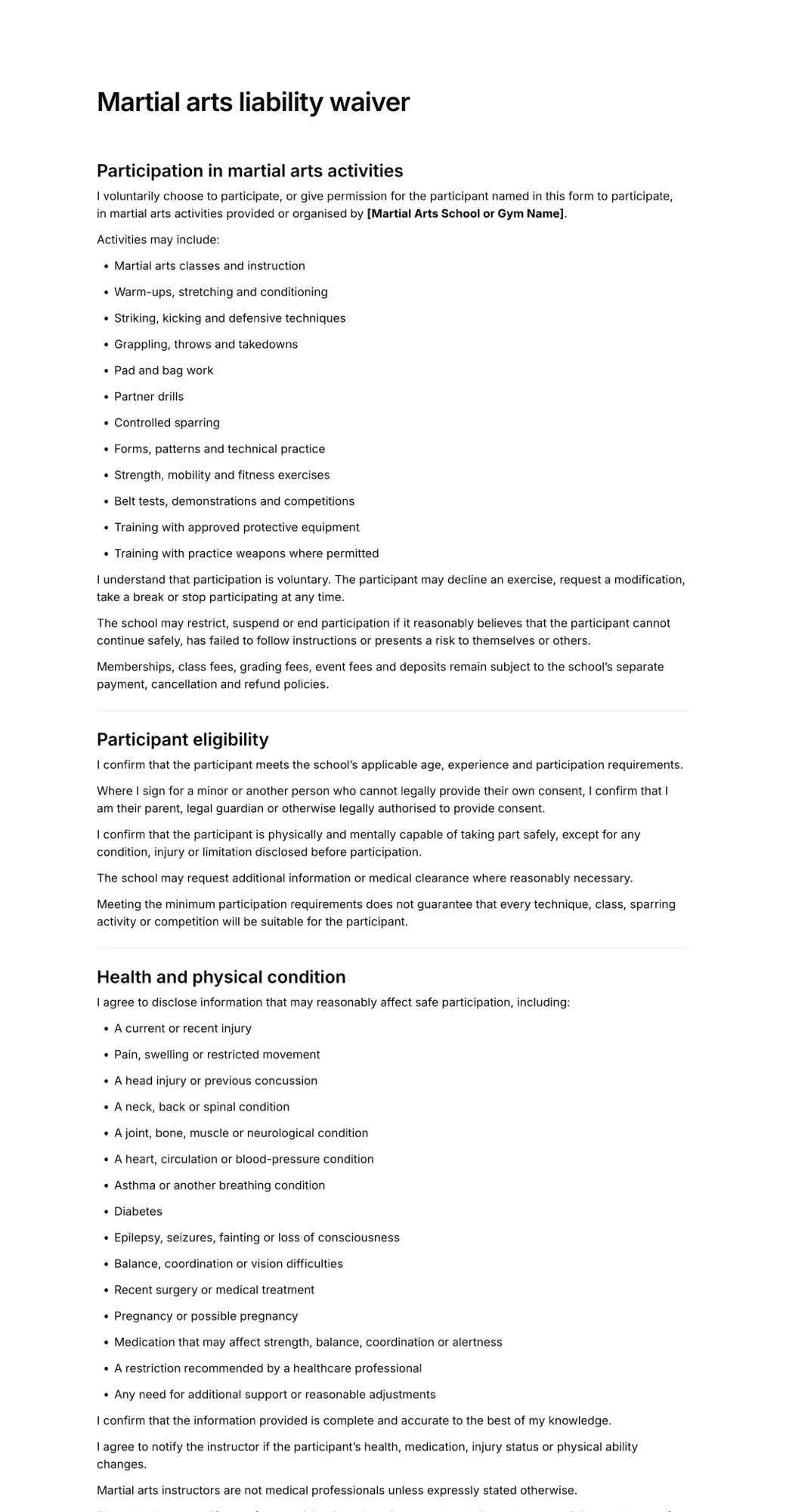
If you run a general fitness gym alongside your martial arts program, our comparison of gym waiver software covers more gym platforms. For what the waiver itself should say, read our martial arts waiver guide, then adapt the template below.
Frequently asked questions
What is the best martial arts software?
For full school management, Kicksite, Gymdesk and Zen Planner are strong choices with built-in waivers, and PushPress has a free plan. If you only need waivers signed, a standalone app such as AgreeDock or Smartwaiver is simpler and cheaper than switching your billing system.
What is the best dojo management software for a small school?
Kicksite starts at $49/month for up to 25 active students and Gymdesk at $75/month for up to 50 members with its payments, as listed in November 2026. PushPress has a free plan if you process payments through it. All three include digital waivers.
Is there a free karate waiver app?
Yes. AgreeDock has a free plan with 1 active form and 10 signatures per month, WaiverForever has a free plan with 20 submissions per month, and PushPress includes unlimited documents on its free gym management plan.
Can a parent sign a martial arts waiver for their child online?
Yes. Most martial arts waiver software lets you add a guardian section where the parent enters the child's name and signs. Gymdesk, WaiverFile and AgreeDock all support parent signing for minors.
Do martial arts students need to sign a new waiver every year?
There's no universal rule. Many schools ask families to re-sign each year, when the waiver wording changes, or when a student moves into a new program such as sparring. Keep every signed version so you can show which wording was agreed to.
Does Kicksite have digital waivers?
Yes. Kicksite's features page says it keeps digital waivers and agreements organized with electronic signatures, sent by email or text, and it says all features are included at every pricing tier.
Are online martial arts waivers legally binding?
In the United States, the ESIGN Act and UETA give electronic signatures the same legal effect as handwritten ones for most transactions. Whether a waiver is enforced, especially one signed for a minor, depends on its wording and state law, so have yours reviewed for where you operate.