The best contract software for small business depends on what happens around the contract. HoneyBook, Dubsado, Bonsai and 17hats suit service businesses that want proposals, contracts, invoices and payments in one client workflow. PandaDoc suits teams sending custom proposals, and DocuSign suits negotiated contracts sent to named signers. For simple, fixed agreements that clients sign from a link, like a catering contract or maintenance agreement, AgreeDock is the cheapest and simplest option, but it doesn't do invoicing or payments.
This guide is for caterers, photographers, planners, contractors, consultants, cleaners and other small service businesses choosing online contract signing software. AgreeDock is our product, so we've included it, and we've tried to be straight about where other tools fit better. Prices were checked on vendor websites in November 2026 and can change, so confirm them before you buy.
Quick comparison
| Tool | Type | Best for | Starting price |
|---|---|---|---|
| AgreeDock | Signed agreements and forms | Simple fixed agreements | Free, Pro $15/mo |
| HoneyBook | Client management | Creative service businesses | Check vendor pricing |
| Dubsado | Client management | Custom client workflows | $335/yr |
| Bonsai | Client management | Freelancers and agencies | $19/user/mo (annual) |
| 17hats | Client management | One all-inclusive plan | $60/mo |
| PandaDoc | Proposals and e-signature | Custom proposals and quotes | Free, $19/seat/mo |
| DocuSign | E-signature | Negotiated contracts | $11/mo (annual) |
How we chose
Small businesses sign contracts in two very different ways. Some send a different contract to each client, often with a proposal, quote and deposit. Others use the same agreement for every client and just need it signed. We looked at:
- Contract workflow. Whether the tool builds contracts from templates, sends them to named signers or lets clients sign from a link.
- Everything around it. Proposals, invoices, payments, scheduling and client portals.
- Pricing. Monthly vs annual, per user or seat, and caps on documents or envelopes.
- Free plans and trials. How easy it is to try before committing.
- Fit for volume. A business signing a few big contracts a month needs something different from one signing dozens of standard agreements.
This comparison is based on vendor sites and public documentation, not a long hands-on test of every product.
Client agreement software vs e-signature tools
Client management tools like HoneyBook, Dubsado, Bonsai and 17hats treat the contract as one step in a client journey: inquiry, proposal, contract, invoice, payment and follow-up. They're worth it if you need all of those.
E-signature tools like DocuSign and PandaDoc focus on documents. You upload or build a document, add signers and send it. They're strong for negotiated contracts and audit trails, but you'll handle invoicing elsewhere.
Simple signing tools like AgreeDock suit standard agreements with fixed wording. You set up the agreement once and every client signs from the same link. There's no proposal, invoice or payment step.
1. AgreeDock
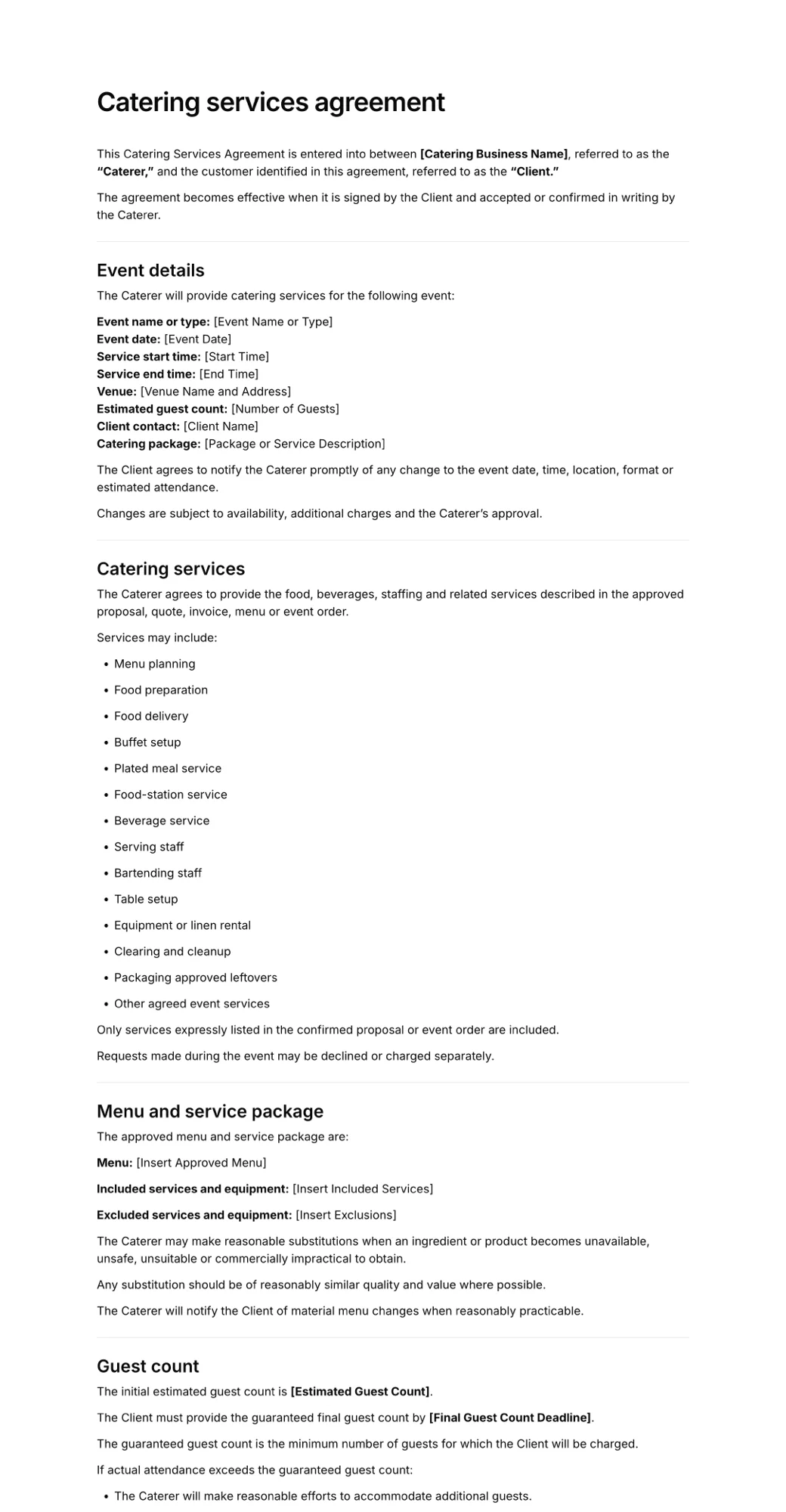
AgreeDock is an online tool for agreements, waivers, consent forms and intake forms. For contracts, it fits businesses that use the same agreement for every client, such as a catering contract, a maintenance agreement, a rental agreement or a service terms acknowledgment. Write the terms once, add fields for the client's details, event or service date, package choice and signature, then share a link or QR code.
Each signed agreement is stored in your Signatures list with the client's answers and the exact wording they agreed to, searchable by name and downloadable as a PDF. There are no envelopes to count and no per-user fees.
Best for: Small businesses with standard, fixed agreements that clients sign from a link.
Pricing: Free plan forever with 1 active form and 10 signatures per month. Pro is $15/month, or $10/month billed yearly ($120/year), with unlimited signatures at any volume.
Strengths:
- Flat price with unlimited signatures on Pro
- Reusable link and QR code, so clients don't need an email invitation
- Templates for catering, maintenance and rental agreements
- Exact wording and answers saved with each signature
Drawbacks:
- No proposals, quotes, invoicing, payments or deposits
- Fixed wording, so it doesn't suit contracts you negotiate line by line
- No file upload or conditional logic
- No integrations with CRM or accounting tools
2. HoneyBook
HoneyBook is a client management platform aimed at creative and event service businesses. Contracts with e-signature are a core part of the product, alongside proposals, invoices and payments. We couldn't reach HoneyBook's own site to confirm current plans and which features sit on which tier.
Best for: Photographers, planners and creative businesses that want contracts, invoices and payments together.
Pricing: Check the vendor's pricing page. We couldn't load it to confirm current prices.
Strengths:
- Contracts, proposals, invoices and payments in one workflow
- Built for creative and event service businesses
Drawbacks:
- We couldn't confirm current plans or prices
- More than you need if you only want signatures
3. Dubsado
Dubsado is a client management tool for service businesses. It lists legally binding contracts as a feature, alongside forms, email templates and lead capture. Its pricing table doesn't show which plan includes contracts, so confirm during the free trial.
Best for: Service businesses that want detailed, automated client workflows.
Pricing: Starter is $335/year and Premier is $525/year, as listed in November 2026. There's a 21-day free trial with full Premier access and no credit card. Extra brands are $10/month each, and team members beyond the first 3 cost $25/month.
Strengths:
- Contracts within a full client workflow
- 21-day trial with no credit card
- 3 users included
Drawbacks:
- Plan split for contracts isn't clear on the pricing page
- Starter allows only 1 active lead-capture form
- Annual prices only on the static pricing page
4. Bonsai
Bonsai is a client management platform for freelancers and agencies, with proposals, contracts, forms and questionnaires. Contracts start on the Essentials plan, not Basic.
Best for: Freelancers and small agencies that want contracts with proposals and project tools.
Pricing: Essentials, the first plan with contracts, is $19/user/month billed annually or $25 billed monthly, as listed in November 2026. Premium is $29 annually or $39 monthly, and Elite is $49 annually or $59 monthly with a 3-user minimum. There's a 7-day free trial.
Strengths:
- Proposals and contracts together
- Clear published pricing
Drawbacks:
- Basic plan has no contracts
- Per-user pricing adds up for teams
5. 17hats
17hats offers one all-inclusive plan for small businesses, with contracts and e-signature included. Its feature grid still shows document caps from older tiers, so check the current limit.
Best for: Solo business owners who want one simple all-in-one plan.
Pricing: $60/month, $600/year or $800 for two years, as listed in November 2026. There's a 7-day free trial and a 30-day money-back guarantee.
Strengths:
- Contracts and e-signature included in one plan
- Money-back guarantee
Drawbacks:
- Current document cap unclear on the pricing page
- Higher monthly price than single-purpose tools
6. PandaDoc
PandaDoc is a document automation tool for proposals, quotes and contracts with e-signature. It suits sales-style documents that change for each client. Signing from a public link without an email invitation uses PandaDoc Forms, which are only on Business and Enterprise and have response caps.
Best for: Businesses sending custom proposals and quotes that turn into contracts.
Pricing: Free plan with 5 documents per month and up to 5 templates. Starter is $19/seat/month and Business $49/seat/month, both billed annually, as listed in November 2026. Starter has a 14-day trial.
Strengths:
- Free plan with e-signature
- Strong proposal and quote building
- Unlimited e-signatures on Starter
Drawbacks:
- Public link signing only on Business and above
- Per-seat pricing
7. DocuSign
DocuSign eSignature is the market-leading e-signature platform, built around envelopes sent to named signers, with a strong audit trail. It's a solid choice for negotiated contracts, vendor agreements and documents that need several signers. Reusable public signing links, called PowerForms and Web Forms, are only on Business Pro.
Best for: Negotiated contracts with named signers and a formal audit trail.
Pricing: Personal is $11/month on an annual commitment with 5 envelopes per month and reusable templates. Standard is $30/user/month and Business Pro $45/user/month, both annual with 100 envelopes per user per year, as listed in November 2026.
Strengths:
- Widely recognized by clients
- Strong audit trail with a certificate of completion
- Multiple signers and templates
Drawbacks:
- Envelope caps limit volume
- Public signing links only on Business Pro
- No invoicing or payments on lower plans
For a deeper look at signature platforms, see our comparison of e-signature software.
How to choose contract software for small business
By workflow. If you send a proposal, contract and invoice to every client, choose client management software like HoneyBook, Dubsado, Bonsai or 17hats. If you just need contracts signed, a signing tool is simpler.
By contract type. Negotiated, one-off contracts fit DocuSign or PandaDoc. Standard agreements with the same wording for every client fit AgreeDock.
By volume. Envelope and document caps matter. DocuSign Personal includes 5 envelopes a month and PandaDoc Free 5 documents. If you sign many agreements, look for unlimited signing.
By team size. Per-user and per-seat pricing adds up. AgreeDock doesn't charge per user, and 17hats sells one all-inclusive plan.
By payments. If you take deposits when the contract is signed, choose a tool with payments. AgreeDock doesn't take payments, so you'd invoice separately.
By budget. Annual plans are cheaper on most tools. Use free plans and trials to test the client experience before paying.
What a small business contract should include
Whatever software you use, a client agreement usually covers:
- business and client names and contact details
- the services, deliverables or event details
- dates, deadlines and location
- price, deposit and payment schedule
- cancellation, rescheduling and refund terms
- responsibilities of each party
- liability limits and insurance, where relevant
- how changes to the agreement are handled
- signatures and dates
For an example of a service agreement, see our maintenance agreement template guide. This is general information, not legal advice, so have your contract reviewed for where you operate.
Frequently asked questions
What is the best contract software for small business?
Service businesses that need proposals, invoices and payments usually do best with HoneyBook, Dubsado, Bonsai or 17hats. PandaDoc suits custom proposals and DocuSign suits negotiated contracts. For simple fixed agreements signed from a link, AgreeDock is the cheapest option.
What is the cheapest online contract signing software?
AgreeDock, PandaDoc and Jotform all have free plans with limits. AgreeDock Pro is $10/month billed yearly with unlimited signatures, and DocuSign Personal is $11/month on an annual plan with 5 envelopes a month, as listed in November 2026.
Is there free contract software?
Yes. PandaDoc's free plan includes 5 documents a month with e-signature, and AgreeDock's free plan includes 1 active form and 10 signatures a month. Dubsado, Bonsai and 17hats offer free trials.
Are electronically signed contracts legally binding?
In the US, electronic signatures are generally valid under federal and state law, with some exceptions for certain documents. Rules differ by country, so check what applies where you do business.
What is client agreement software?
Client agreement software lets a business create contracts from templates and collect client signatures online. Some tools also handle proposals, invoices and payments, while others focus only on signing.
Can clients sign a contract on their phone?
Yes. Most contract tools, including AgreeDock, let clients sign in a mobile browser from a link or email.
Do I need DocuSign for small business contracts?
Not necessarily. DocuSign is strong for negotiated contracts with named signers, but standard agreements can be signed with cheaper tools, and client management software often includes contracts.