
The best event waiver software depends on how people register. RunSignup and Race Roster are the strongest picks for races and endurance events because the waiver is built into registration. For festivals, workshops, tournaments and ticketed events, a standalone tool like AgreeDock gives you a reusable waiver link and QR code at a flat price, while WaiverForever and Smartwaiver suit large outdoor events that need offline kiosk apps.
This guide is for race directors, festival and fair organizers, sports tournament hosts, workshop and retreat leaders, and anyone who sells tickets and needs every attendee to sign an event liability waiver online. AgreeDock is our product, so we've included it, and we've tried to be straight about where other tools fit better. Prices were checked on vendor websites in November 2026 (Smartwaiver's in October 2026) and can change, so confirm them before you buy.
Quick comparison
| Tool | Type | Best for | Starting price |
|---|---|---|---|
| AgreeDock | Standalone waiver tool | Any event, flat price | Free, Pro $15/mo |
| RunSignup | Race registration | Races, rides, endurance events | Per-registration fees |
| Race Roster | Race registration | Races, especially in Canada | Fees not published |
| Eventbrite | Ticketing | Ticket sales, not waivers | Free for free events |
| Smartwaiver | Standalone waiver tool | Large venues, offline kiosks | $22/mo for 100 waivers |
| WaiverForever | Standalone waiver tool | Seasonal and outdoor events | Free, Essential $19/mo |
| WaiverSign | Standalone waiver tool | Group signing, single events | $19/mo for 100 waivers |
| Jotform | Form builder | Registration forms plus waivers | Free, Bronze $34/mo |
How we chose
Event waivers come in bursts: hundreds of people sign in the week before, then nobody signs for months. We looked at:
- Where the waiver lives. Built into registration, or a separate link you attach to ticketing.
- Cost for spiky volume. Per-registration fees, per-waiver tiers or a flat monthly price, and whether you can pause between events.
- Day-of signing. QR codes and tablet kiosks for walk-ups, and whether signing works without wifi.
- Minors and groups. Parents signing for kids, and teams or families signing together.
- Records. Whether you can search by name at check-in and pull a signed copy later.
This comparison is based on vendor sites and public documentation, not a long hands-on test of every product.
1. AgreeDock
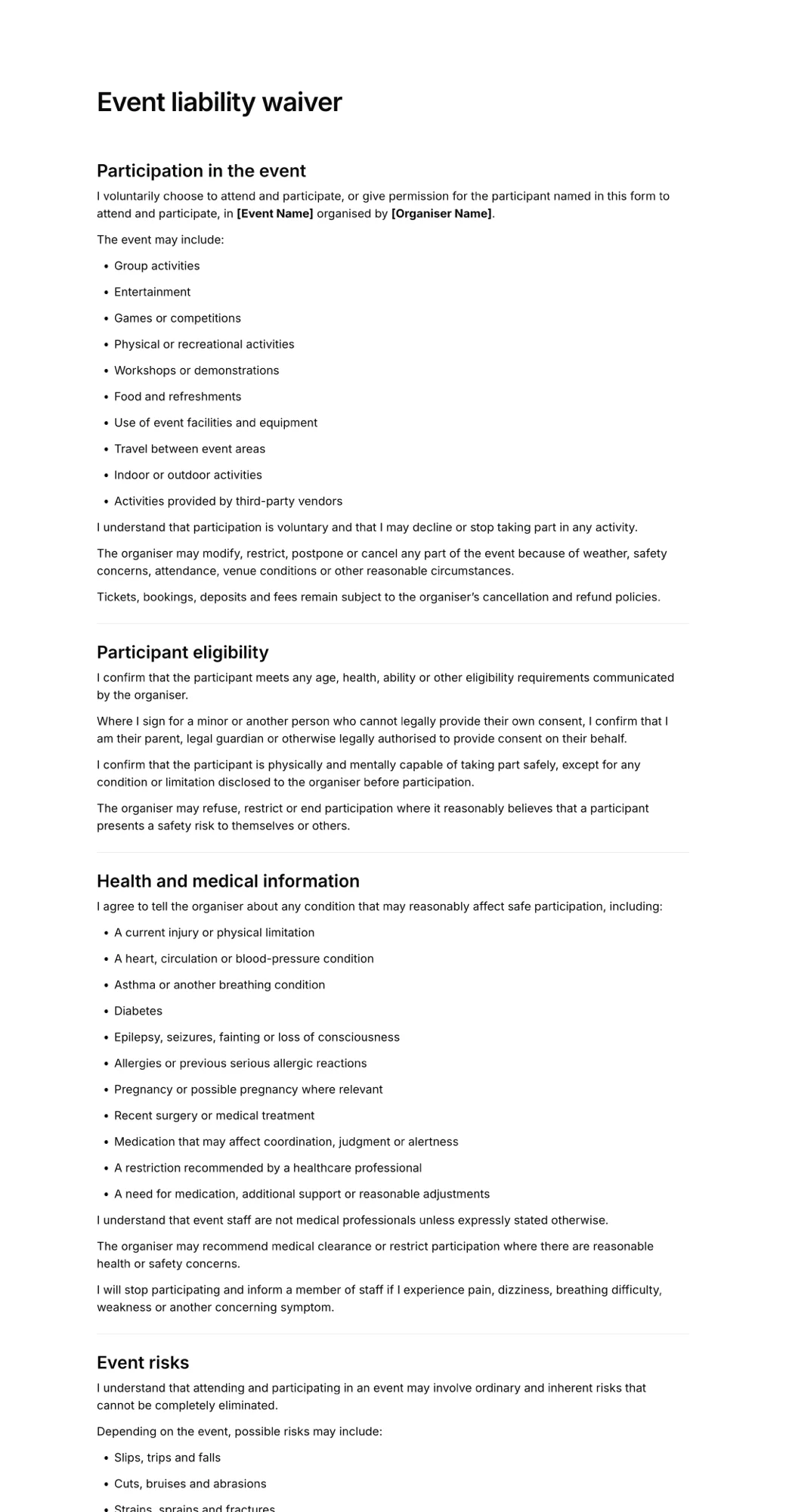
AgreeDock is an online waiver platform for waivers, consent forms and agreements. You can start from the event liability waiver template or describe your event to the AI waiver generator and edit the draft. The editor has signature, checkbox, text, long text, date, multiple choice and contact fields, and you can add a guardian and minor section so a parent signs for a child.
For events, the useful part is the reusable link and QR code. Put the link in your ticket confirmation and reminder emails, print the QR code on signs at check-in, or run a tablet in kiosk mode so walk-ups sign one after another. Every signed waiver goes to your Signatures list with the answers and the exact wording agreed to. Search by name at the check-in table and download each as a PDF.
Best for: Festivals, tournaments, workshops, retreats and ticketed events that already use a separate ticketing or registration tool.
Pricing: Free plan forever with 1 active form and 10 signatures per month. Pro is $15/month, or $10/month billed yearly ($120/year), with unlimited signatures at any volume.
Strengths:
- Flat price, so a 2,000-person event costs the same as a 50-person one
- Works next to any ticketing platform through a link or QR code
- Tablet kiosk mode in any browser, with nothing to install
- Guardian and minor sections for family events
Drawbacks:
- No integrations or API, so signed waivers don't sync back to your ticketing platform automatically
- Needs an internet connection; no offline signing for remote venues
- No native iOS or Android app, no photo capture or ID scanning
- No payments or registration, so you still need a ticketing tool
2. RunSignup
RunSignup is a registration platform for races, rides and endurance events, and the waiver is built in. You get editable waiver text and up to three waivers per event. Signature options are a checkbox, scroll-to-sign, or a typed name that must match the participant, and the waiver report includes the date, time and IP address.
Because the waiver is part of registration, nobody can finish signing up without agreeing to it.
Best for: 5Ks, marathons, triathlons, cycling events and other endurance races.
Pricing: No subscription. Fees are charged per cart total: free registrations have no fee, $0.01 to $249.99 is 6% + $1, $250 to $999.99 is 5% + $1, and $1,000 and up is 4% + $1, as listed in November 2026. The registrant, the organizer or a 50/50 split can pay.
Strengths:
- Waiver built into registration, with up to three waivers per event
- Several signature methods, with date, time and IP recorded
- No monthly fee; free events have no fee
Drawbacks:
- Built only for races and events
- Signing is tied to registration, so it is not a general-purpose waiver tool for other activities
3. Race Roster
Race Roster is another race and event registration platform with waivers built in. According to its help center, you can add a custom waiver, have participants sign at check-in, and let participants sign outside of registration. That last option helps when one person registers a whole team or family.
Best for: Race organizers, particularly in Canada.
Pricing: Fees are not published on the pricing page. Race Roster's organizer terms say service fees are charged to registrants, so check with the vendor for your event.
Strengths:
- Custom waivers inside registration
- Check-in signing and signing outside registration
- Built for race-day logistics
Drawbacks:
- Fees aren't published, so it's harder to compare costs up front
- Focused on races rather than general events
4. Eventbrite
Eventbrite is a ticketing and registration platform, not a waiver tool. We didn't find a native e-signed waiver. Organizers usually add custom checkout questions or a terms and conditions checkbox, or connect a separate waiver tool. Eventbrite's former HelloSign integration is no longer available, and third-party automation services list connections to waiver tools such as WaiverForever.
A checkbox at checkout records that the buyer ticked a box, but it doesn't give you a signed waiver for each attendee, and the buyer is often not the person attending. That's why many organizers sell tickets on Eventbrite and collect waivers with a separate link.
Best for: Selling tickets and managing attendee lists, paired with a separate waiver tool.
Pricing: Free for free events. For paid tickets, a service fee of 3.7% + $1.79 per paid ticket plus 2.9% payment processing per order, paid by buyers by default, as listed in November 2026.
Strengths:
- Ticketing, checkout and attendee management in one place
- No cost for free events
- Custom checkout questions for basic acknowledgements
Drawbacks:
- No native signed waiver or signing audit trail
- The ticket buyer may not be the participant, so one checkbox can cover a whole group
- You need a workaround or third-party tool for real waivers
5. Smartwaiver
Smartwaiver is the best-known dedicated waiver platform. It offers native iOS and Android apps with offline collection, driver's license scanning, automatic photo capture, an open API and integrations. For events at remote sites, offline signing on tablets is the main reason to choose it.
Best for: Large or recurring outdoor events that need offline kiosk apps and integrations.
Pricing: Basic starts at $22/month for 100 waivers per month on monthly billing, as listed in October 2026. Starter is $60 (300 waivers), Business $160 (1,000) and Premium $205 (2,500). Free trial, no free plan.
Strengths:
- Native kiosk apps with offline collection
- Photo capture and ID scanning
- API and integrations
Drawbacks:
- Priced by waiver volume, so a large one-day event may need a higher tier
- More than a small event needs
For a side-by-side on price, see our Smartwaiver alternatives guide.
6. WaiverForever
WaiverForever has native kiosk apps for iOS, Android and Amazon devices, offline signing that syncs later, QR codes, driver's license scanning and integrations. Its pricing is a low base fee plus metered usage, which fits events that are busy for a few weeks and quiet the rest of the year.
Best for: Seasonal and outdoor events that need offline kiosks without a big fixed tier.
Pricing: Free plan with 20 submissions per month. Essential is $19/month with the first 50 submissions included, then metered from $0.10 per waiver, as listed in November 2026. Standard is $39 and Scale $129.
Strengths:
- Free plan for very small events
- Native apps with offline signing
- QR codes and ID scanning
Drawbacks:
- Metered usage makes the total for a big event harder to predict
- Essential includes only 1 offline device and no team users
7. WaiverSign
WaiverSign, from Resmark Systems, is a waiver and e-signature tool. Guests can sign by email, SMS, QR code or in person, and it supports group signing, multiple documents per session and multiple languages. It also offers Seasonal and Single Event plans, which are unusual among waiver tools.
Best for: Events that want group signing and marketing or CRM integrations.
Pricing: Growth is $19/month for 100 waivers, or $15/month on a 12-month term, with $0.15 per extra waiver, as listed in November 2026. Seasonal and Single Event plans are priced on request.
Strengths:
- Group signing and multiple languages
- Single Event and Seasonal plans
- Zapier plus direct HubSpot, Mailchimp and Salesforce integrations
Drawbacks:
- No native offline mode; needs a stable connection
- Overage fees on busy months
8. Jotform
Jotform is a general form builder with a signature field, the Jotform Sign workflow and many waiver templates. Some organizers build their whole registration form in Jotform and put the waiver at the end, which works well for small events without a ticketing platform.
Best for: Small events that want registration questions and a waiver in one form.
Pricing: Free Starter plan with 5 forms, 100 submissions and 10 signed documents per month. Bronze starts at $34/month billed annually ($39 monthly), as listed in November 2026.
Strengths:
- Flexible form builder for registration questions
- Link, embed or email sharing, plus a mobile app
- Large template library
Drawbacks:
- Signed document caps are low on free and lower plans
- Not built specifically for waivers or check-in
All-in-one event platform vs standalone waiver software
This is the biggest decision for events, and the answer depends on your registration platform.
Choose a registration platform with built-in waivers if you run races. RunSignup and Race Roster put the waiver inside registration, so you never have to chase signatures. The downside is that the waiver only works for that event platform, and you pay per registration.
Choose standalone event waiver software if you sell tickets on Eventbrite or another platform without signed waivers, run events on more than one platform, need every attendee (not just the buyer) to sign, or also need waivers for walk-ups, volunteers and vendors. A standalone tool gives you one link for everyone, a kiosk at the gate and one place to search signed records.
Use both when your race platform covers participants but you still need waivers for volunteers, vendors or side activities such as a kids' fun run or climbing wall. For volunteers specifically, see our guide to volunteer waiver software.
How to attach a waiver to ticketing or registration
If your ticketing tool doesn't collect signed waivers, here is a simple setup that works with most platforms:
- Create the waiver. Start from an event liability waiver template and add your event's specific risks, rules, photo consent and a minor section if kids can attend.
- Add the link at checkout. Put the waiver link in a custom checkout question or the order confirmation message, with a line such as "Every attendee must sign before entry."
- Send it again before the event. Include the link in your reminder email a few days out. Ask buyers to forward it to everyone in their group, since each attendee should sign for themselves.
- Print a QR code for the gate. Late registrants and walk-ups can scan and sign on their phone. Our guide on how to create a QR code waiver covers signage.
- Set up a kiosk tablet. Keep a tablet in kiosk mode at check-in for people without a phone or with a flat battery.
- Check names at entry. Search the signed waivers by name as people arrive, or match against your attendee list before the doors open.
The weakness is that the two systems don't talk to each other, so someone has to compare the attendee list with signed waivers.
How to choose event waiver software
By event type. Races and endurance events: start with RunSignup or Race Roster. Ticketed festivals, fairs, workshops and tournaments: a standalone online waiver platform alongside your ticketing tool.
By volume. For a single small event, a free plan from AgreeDock, WaiverForever or Jotform may be enough. For events with hundreds or thousands of attendees, compare per-waiver tiers against a flat price. AgreeDock Pro costs the same at any volume.
By venue. If the site has no reliable signal, such as a trail race start or a field festival, choose a tool with offline signing (Smartwaiver or WaiverForever) or have everyone sign before arrival. AgreeDock needs a connection.
By who attends. For family events, make sure a parent or guardian can sign for each child. Our guide to waivers for minors explains what to include. For groups, look at group signing or ask each adult to sign individually.
By integrations. If waivers must sync with registration, CRM or marketing tools, look at Smartwaiver, WaiverForever or WaiverSign. AgreeDock does not offer integrations.
Frequently asked questions
What is event waiver software?
Event waiver software lets attendees, participants and volunteers read and sign a liability waiver online before an event. It usually provides a signing link or QR code, tablet signing at check-in, and a searchable record of every signed waiver.
Does Eventbrite have a waiver feature?
We didn't find a native signed waiver in Eventbrite. Organizers typically use custom checkout questions or a terms checkbox, or send attendees a link to a separate waiver tool. Eventbrite's former HelloSign integration is no longer available.
How do I add a liability waiver to event registration?
If your platform has built-in waivers, as RunSignup and Race Roster do, add it in the event setup. Otherwise, create the waiver in a standalone tool and add its link to your checkout questions, confirmation email and reminder email, then display a QR code at check-in for anyone who hasn't signed.
What is the best race waiver software?
For most races, the waiver built into your registration platform is the simplest choice, since RunSignup and Race Roster both include one. Add a standalone waiver tool if you also need waivers for volunteers, vendors or side activities.
Does every attendee need to sign the event waiver?
Ideally, yes. A waiver signed by the ticket buyer doesn't necessarily bind the other people in their group. Ask each adult to sign for themselves, and have a parent or guardian sign for each child.
Can people sign an event liability waiver online on their phone?
Yes. Most tools give you a link or QR code that opens on any phone. Electronic signatures are recognized in many countries, including under the ESIGN Act and UETA in the United States.
Is there free event waiver software?
Yes, for small events. AgreeDock's free plan includes 10 signatures per month, WaiverForever's free plan includes 20 submissions per month, and Jotform's free plan includes 10 signed documents per month. Larger events usually need a paid plan.